¶ 1. Method One: Generate a dual color 3D model
¶ 1.1 Generate dual color 3D models on the "Design" page
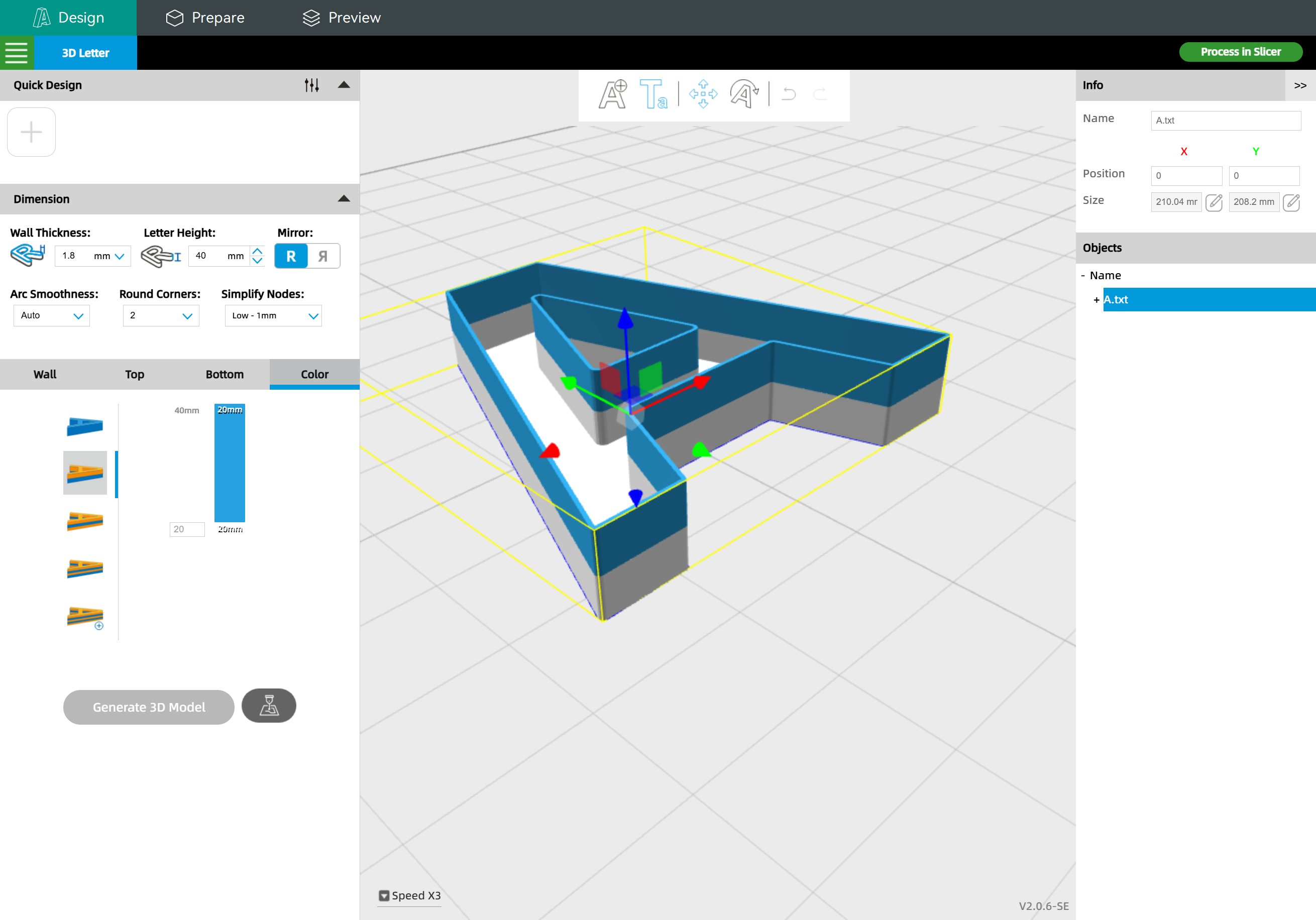
Then click "Process in Slicer" to transfer the 3D model into the slicer.
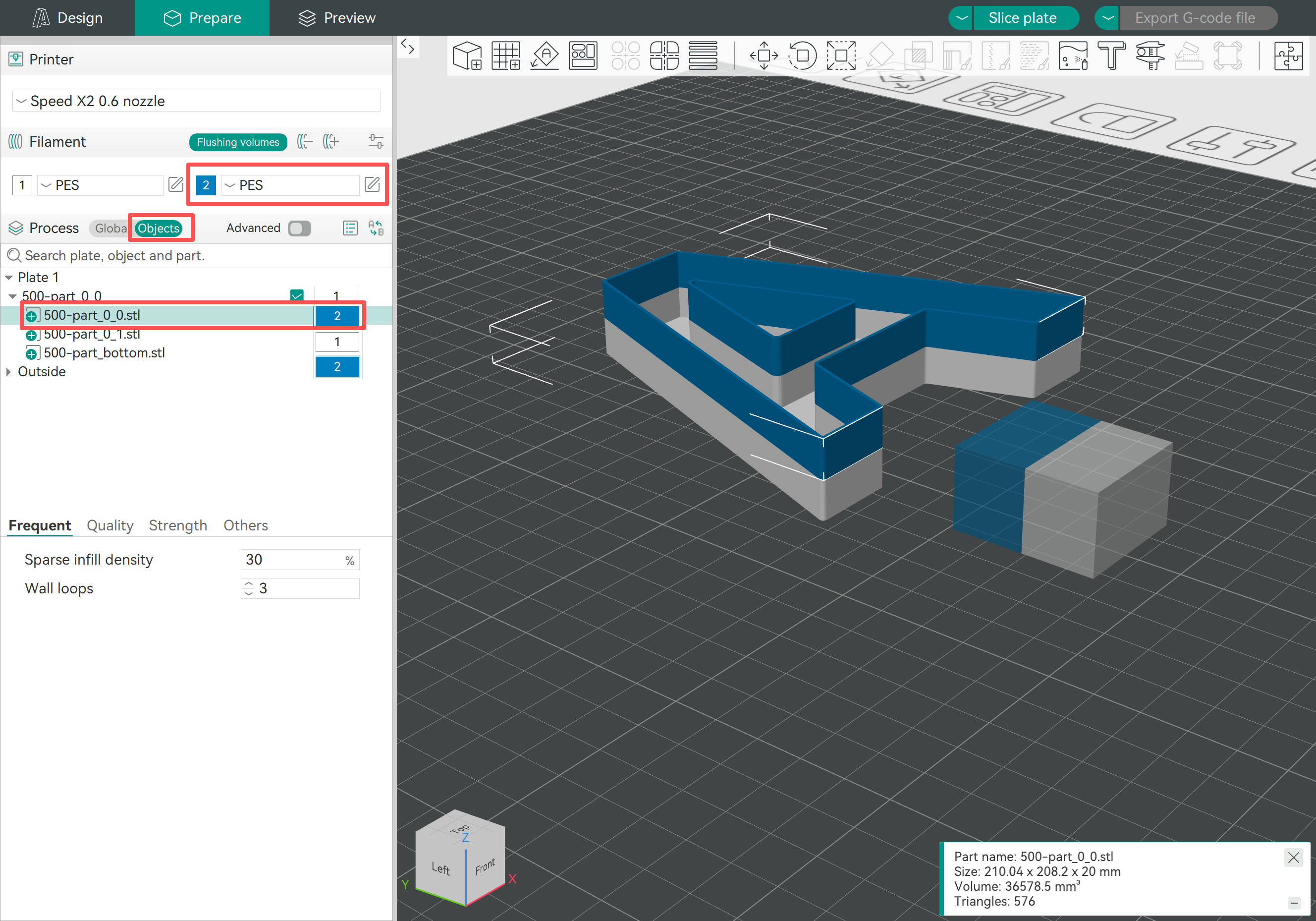
¶ 1.2 Set different colors for the project
Settings:
- Add one more filament
- Switch to "Objects" mode
- Click the 3D model you want to print with a different color, then select the corresponding filament
- Slice and export the G-code file
When printing with the G-code file, please load correct filaments according to the filament preset you selected in the slicer
¶ 2. Method Two: Print the bottom and wall with two-colors
¶ 2.1 Generate the 3D model with a single color and a solid bottom
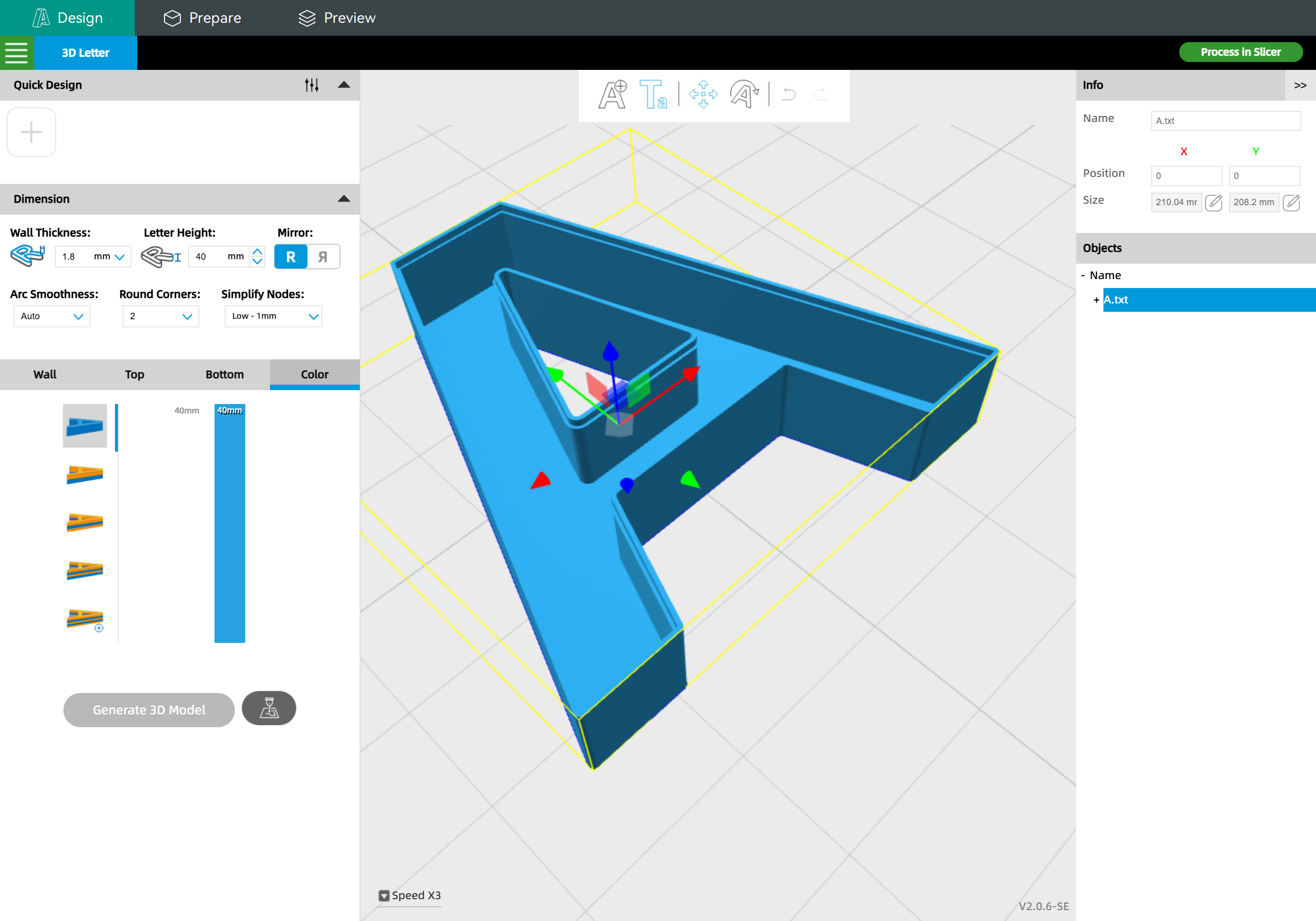
Then click "Process in Slicer" to transfer the 3D model into the slicer.
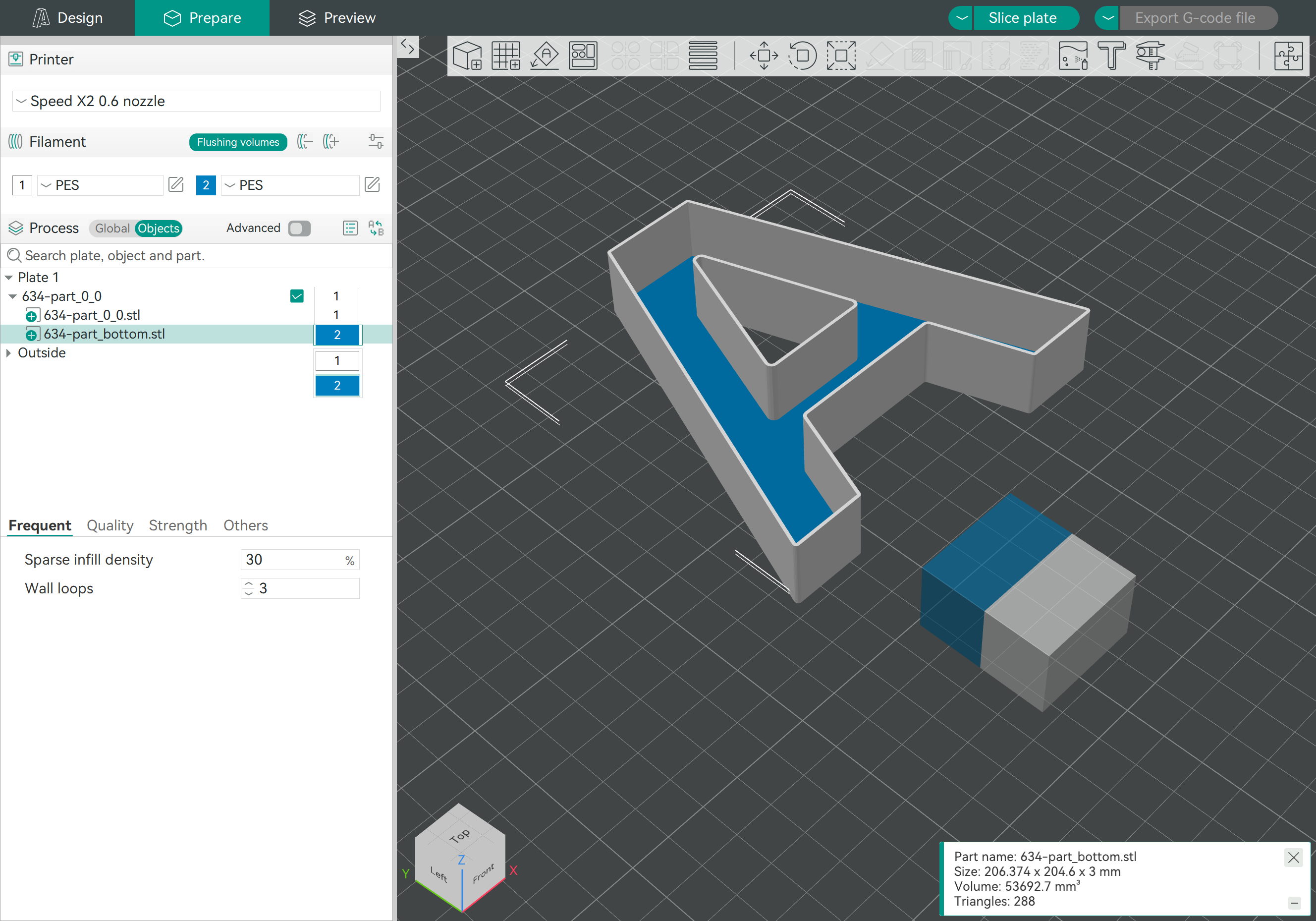
¶ 2.2 Set different colors for the bottom
Settings:
- Add one more filament
- Switch to "Objects" mode
- Click the 3D model that has a "bottom" word in the file name and select the "filament 2" for it
- Slice and export the G-code file
¶ 3. Method Three: Slice and set "change filament"
¶ 3.1 Generate the 3D model with a single color and a solid bottom
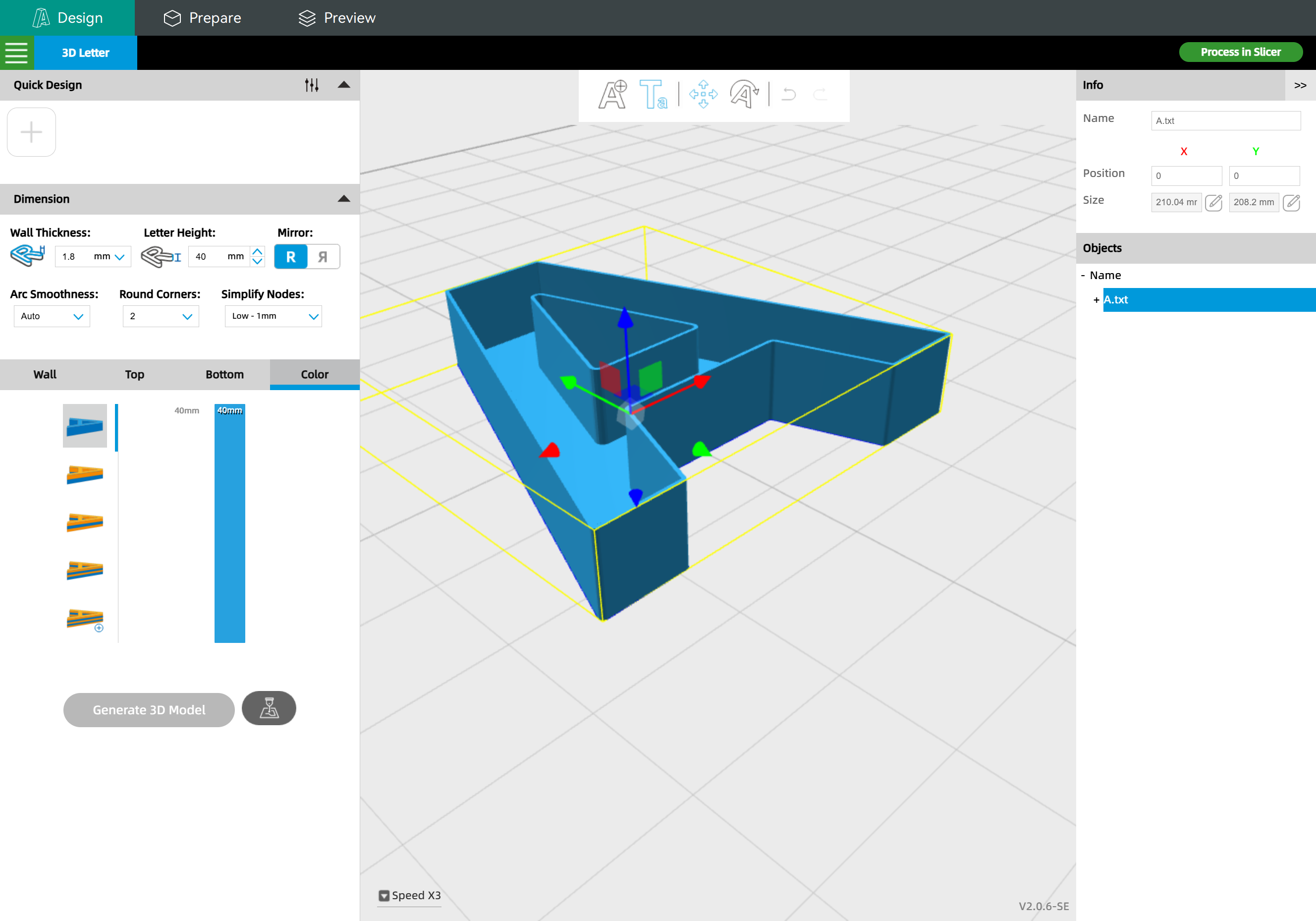
Then click "Process in Slicer" to transfer the 3D model into the slicer.
¶ 3.2 Slice and set to "change filament"
Settings:
- Add one more filament
- Slice
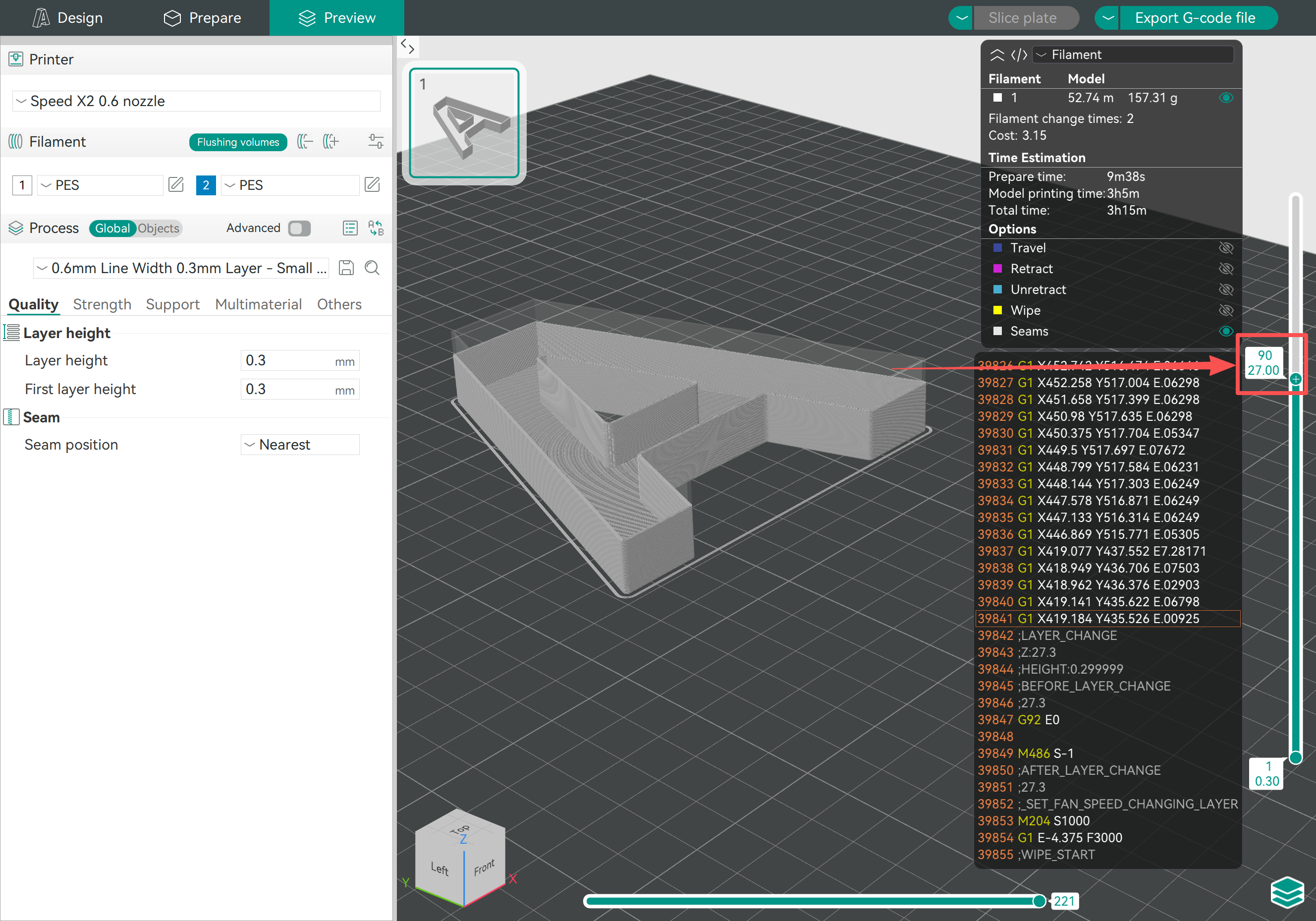
- Move the layer preview bar to a height (the above number is the layer number, the below number is the height)
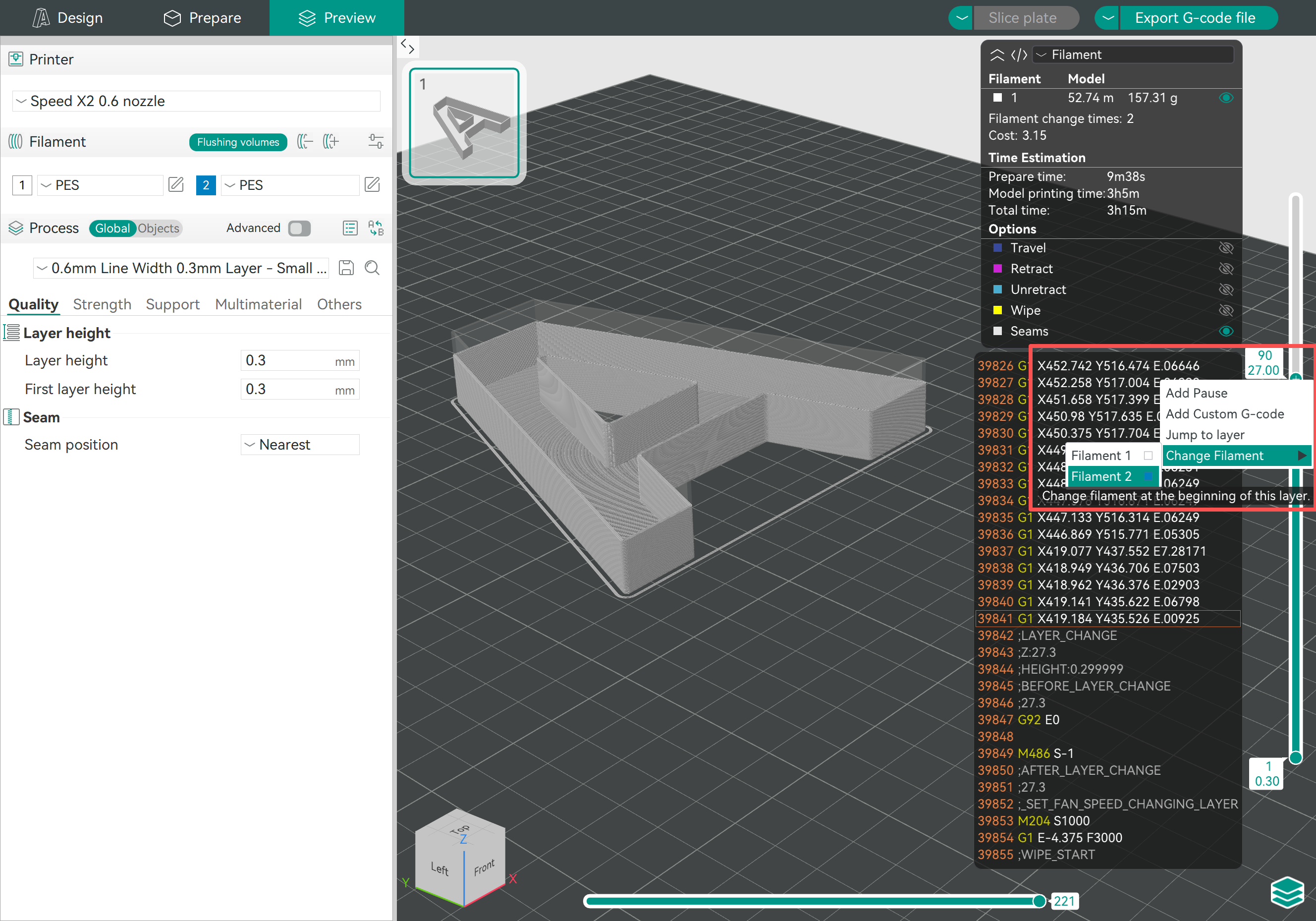
- Right-click on the preview bar and choose "Change Filament" - "Filament 2"
|
|
Click "Slice" to get the latest preview
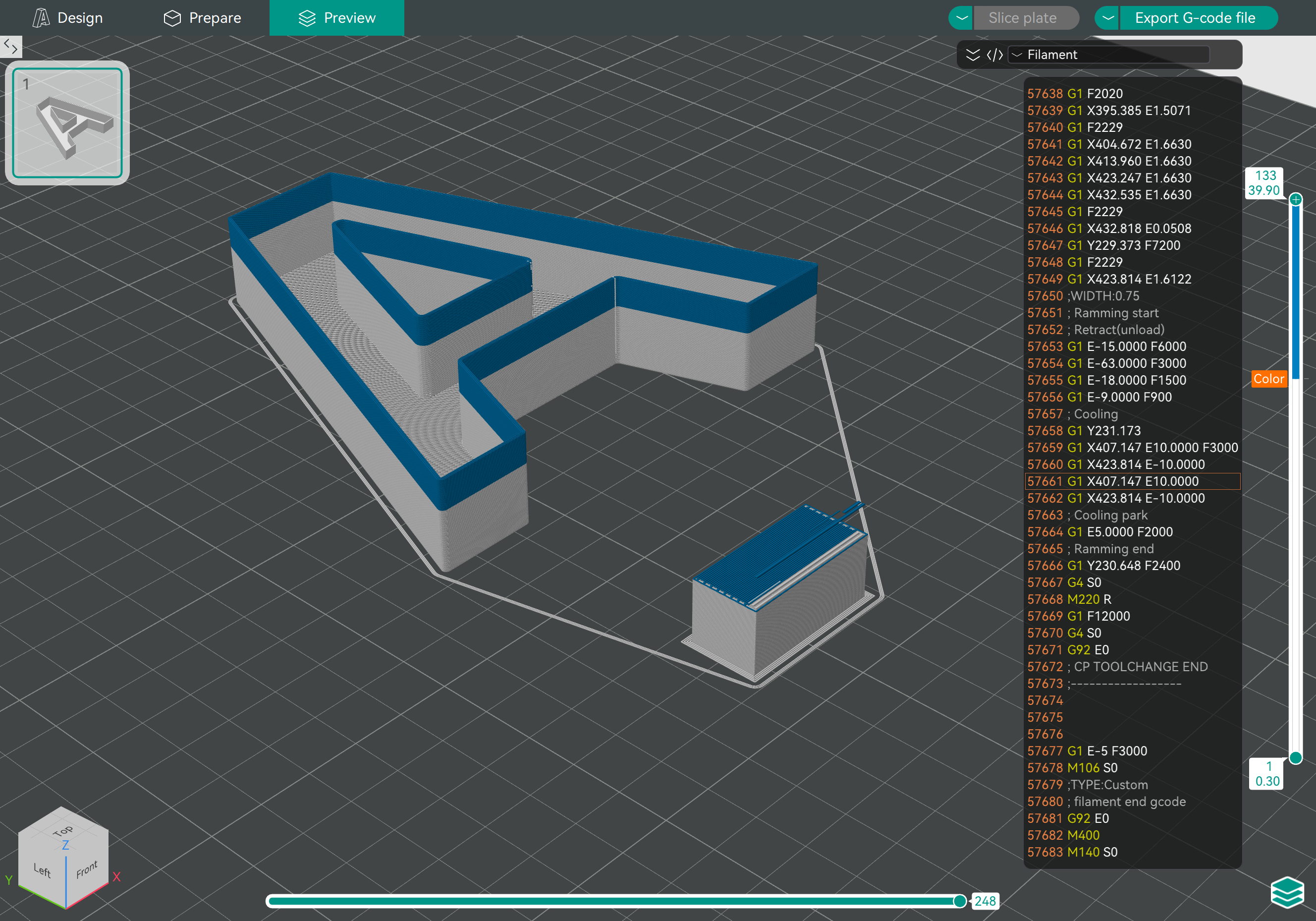
- Export the G-code file
Please note that you don't need to manually switch the filaments during 3D printing, as you have already set and sliced with dual colors, the printer will switch the filaments automatically.
But please make sure you load the correct filaments:
- If you use Light-tight White filament, please select the "PES White (Light-tight)" filament preset and load it into the corresponding extruder.