¶ V2.3.1_2.0.5-SE
| Release Date | 2026.02.27 | |
|---|---|---|
| Download Link | FormLetter_260325.7z Filament presets.zip (Path: File → Import → Import Config, then load the presets) |
|
| Optimization List | 1. Update the slicer to 2.3.1 - The built-in slicer now is OrcaSlicer V2.3.1 - "Scarf joint seam" feature will help to improve seam print quality - Windows OS won't warn "Unknown publisher" anymore 1. 2D-3D generation software - more than 50 times faster 3D model generation speed than the previous version - fix the XYZ moving tool bug (cannot easily choose the XYZ move arrows) - fix the problem that when changing height or size, the 3D model might disappear - accurate 3D model size - available to change the XY size after importing the SVG file - available to fold the right interface to view the 3D models in a bigger area - available to preview the size of the sign when typing text in the software - remember the "mirror" setting when reloading the SVG file - make the second rib option of the "Bottom" the default option - lower the frequency of login the account - now no more blinking between two windows when launching the software - now users can reset passwords by themselves |
|
| Installation Notice |
- English file path: Don't save the software folder under a non-English file directory. If you are now using V1.5.1, please follow this guide to uninstall the V1.5.1 version before installing the newer version: - Quit the old software |
|
| Troubleshooting |
1. File not uploaded / repeating processing bar 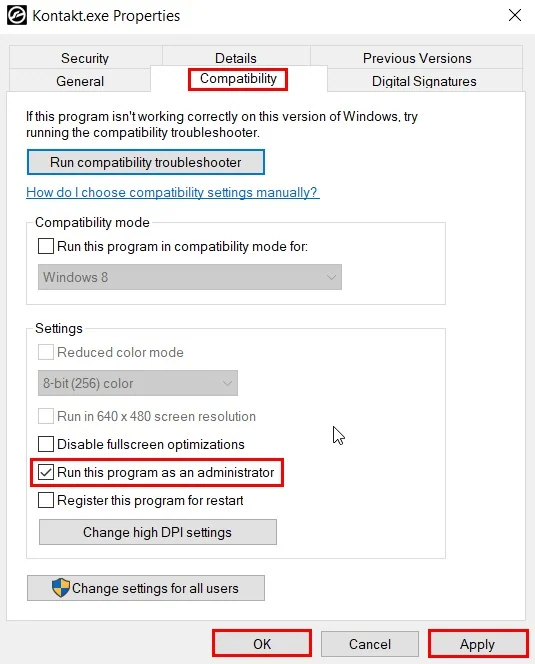 |
If you encounter a "file not uploaded" warning when you import an SVG file, or the processing bar keeps loading from 0~100, please right-click on the software shortcut → Properties → Compatibility → Run this program as an administrator. The problem will be solved in most cases. |
|
2. VCRUNTIME140.DLL was not found 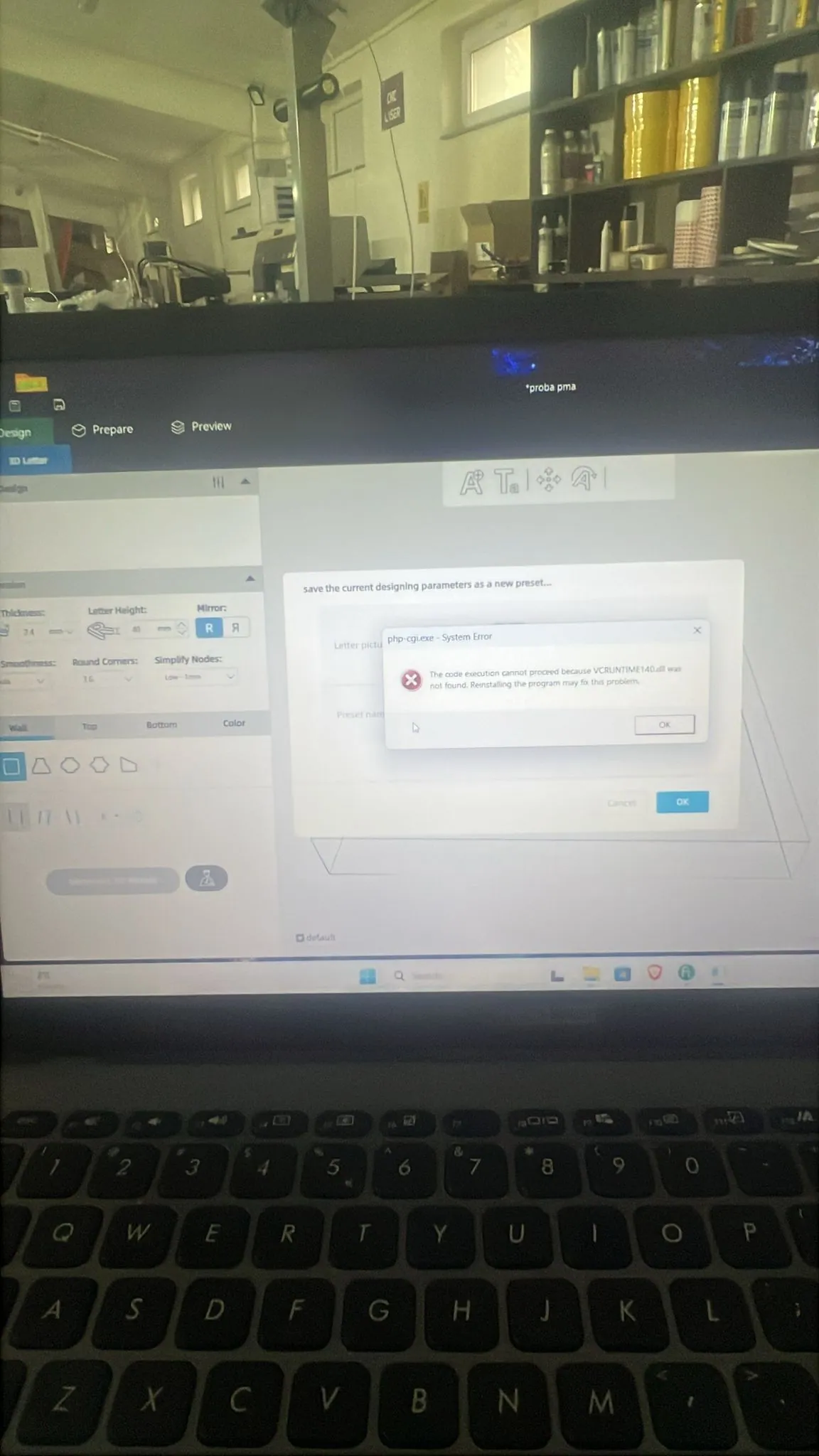 |
When you see a reminder like this, it means the OS on your computer is missing the "vcruntime140.dll" file. To solve the problem, please download the "Latest supported v14 (for Visual Studio 2017–2026)" on this page: https://learn.microsoft.com/en-us/cpp/windows/latest-supported-vc-redist?view=msvc-170&source=recommendations#latest-supported-redistributable-version Please install both the X86 and X64 versions. |
|
| Operating Environment | Windows 7/10/11 | |
| Hardware Requirements | Minimum computer configuration: Intel i5 Gen11 or newer, RAM 16GB Ideal computer configuration: Intel i7 Gen11 or newer, RAM 32GB |
|
¶ V1.5.1
| Release Date | 2025.07.30 | |
|---|---|---|
| Download Link | Click to download | |
| Optimization List | Activate the account online, and generate 3D models in your local drive Please note double click this icon to launch the software: 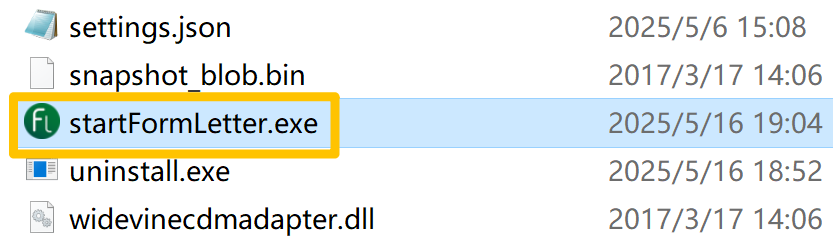 |
|
| Installation Notice | - Portable software: Just unzip the package and save the folder on your local drive, then double-click the "FormLetter.exe" to launch the software; no installation is needed. - English file path: Don't save the software folder under a non-English file directory. - Network connection required: To run FormLetter software, a fast network connection is essential. The 3D Letter generation application is cloud-based software. - Delete the old versions before installing this newer version: - Quit the old software - Delete the whole software folder (if you cannot delete all the files, please open "task manager" and end all the "PHP Desktop chrome.exe" processes. Then delete the folder again.) - Delete the user data folders: delete the two "FormLetter" folders located in: - C:\Users\[user name]\AppData\Local\Formletter - C:\Users\[user name]\AppData\Roaming\Formletter - Unzip the new software, then double-click the file to install |
|
| Troubleshooting |
VCRUNTIME140.DLL was not found |
When you see a reminder like this, it means the OS on your computer is missing the "vcruntime140.dll" file. To solve the problem, please download the "Latest supported v14 (for Visual Studio 2017–2026)" on this page: https://learn.microsoft.com/en-us/cpp/windows/latest-supported-vc-redist?view=msvc-170&source=recommendations#latest-supported-redistributable-version Please install both the X86 and X64 versions. |