 |
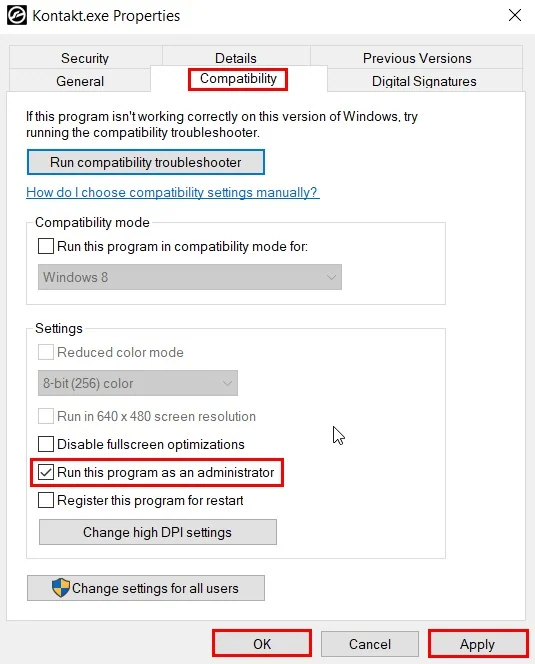
If you encounter a "file not uploaded" warning when you import an SVG file. Please right-click on the software shortcut → Properties → Compatibility → Run this program as an administrator. The problem will be solved in most cases. If you cannot "Process in Slicer", the processing bar keeps repeating, you can also do this to solve the problem. |