Please select the "Printer" and "Filament" presets before importing any 3D models into the slicer.
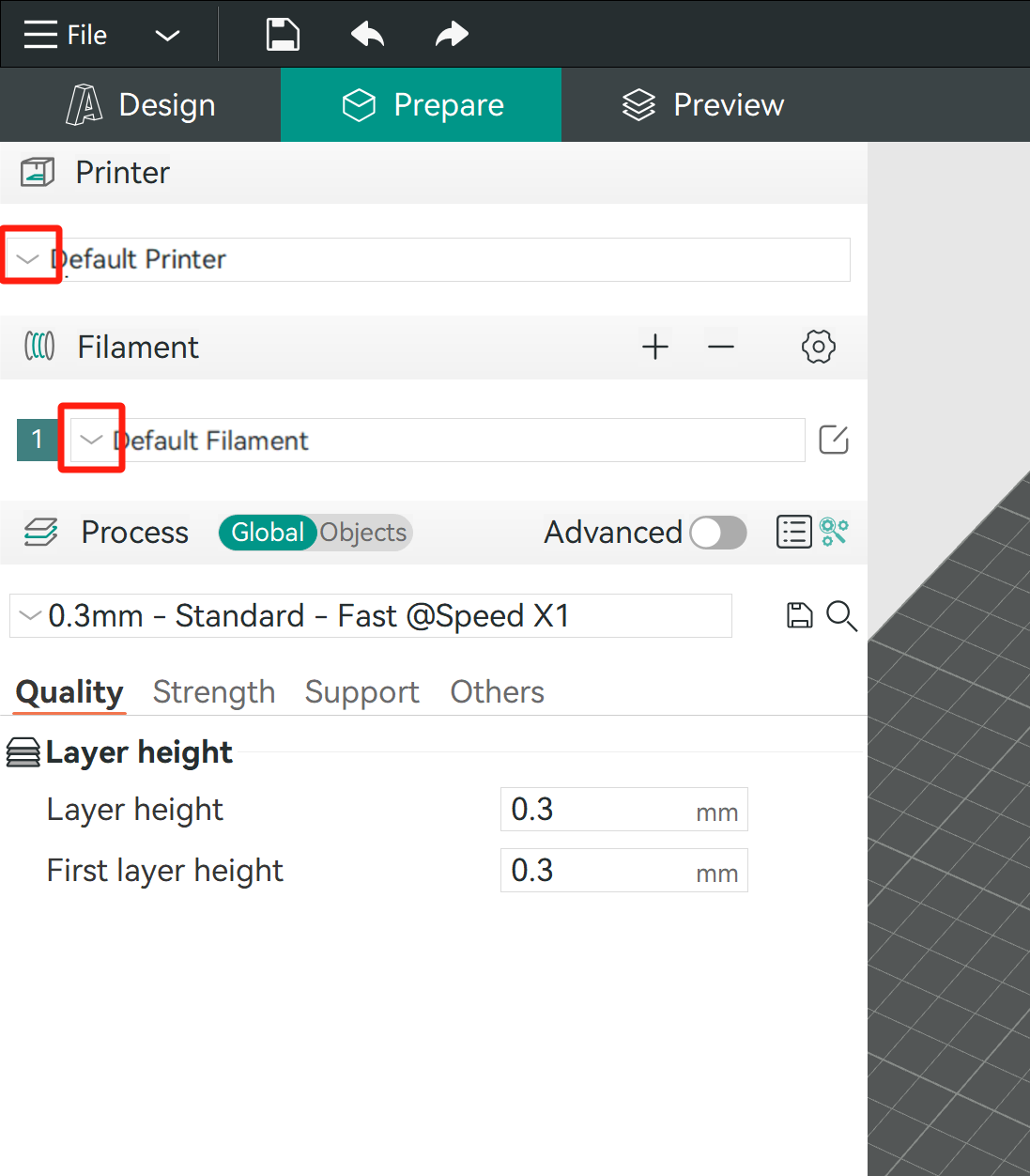
|
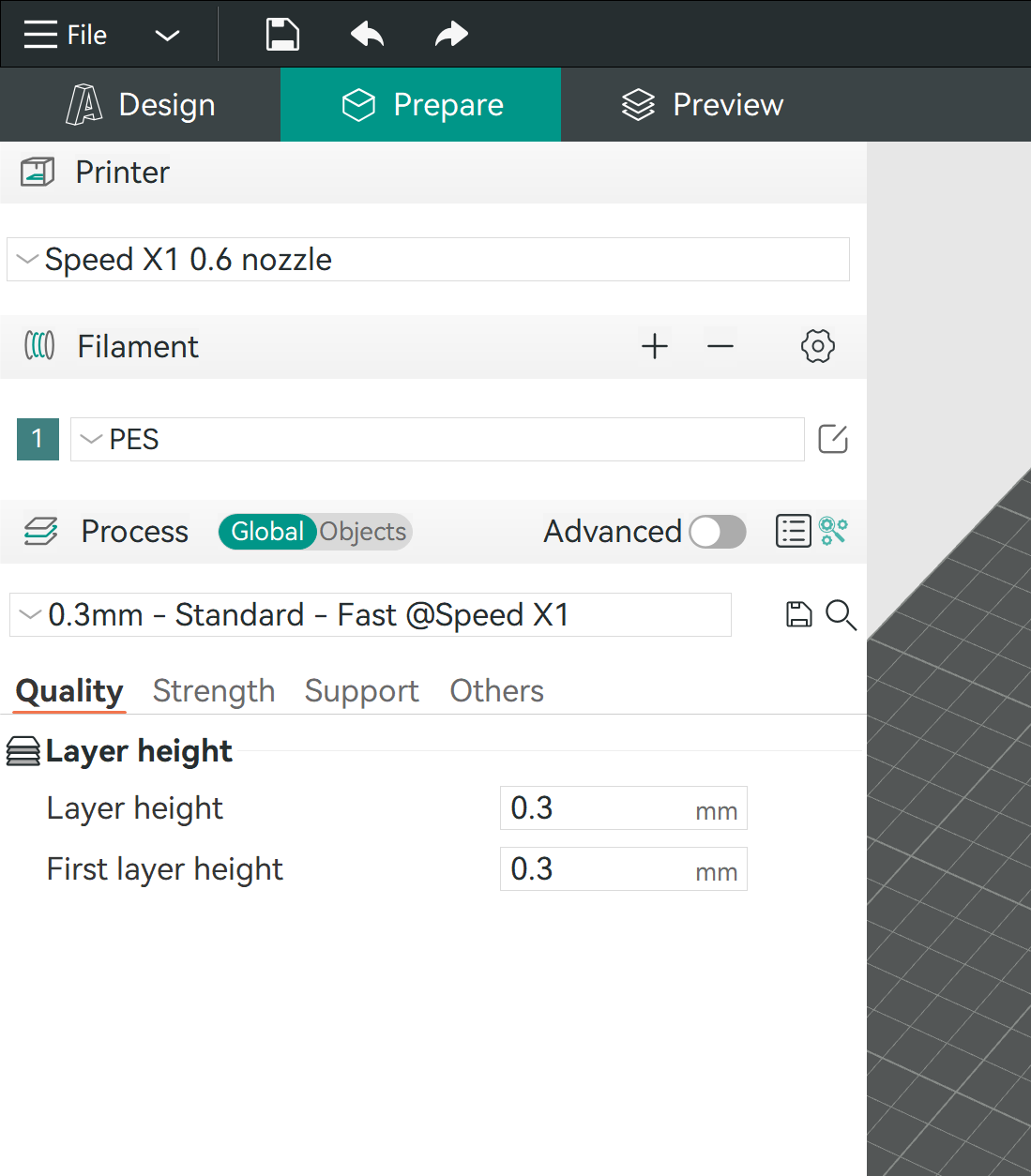
|
Otherwise:
- You cannot transfer 3D models into the slicer from the design software.
- You cannot slice and get accurate filament consumption and printing time.