¶ 1. Update notes
Release Date: 2026.03.16
- Fixed the issue where there was an offset between the calibration detection area and the printing area.
¶ 2. Leveling Area Offset Issue
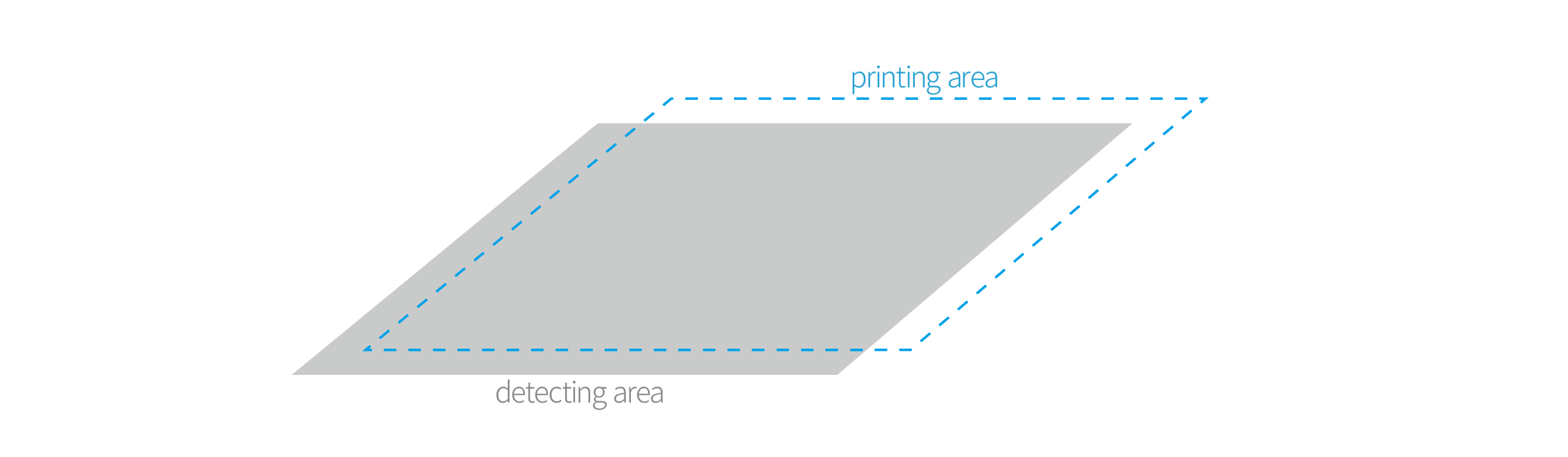
There is a 40mm offset between the detection area and the printing area, which will lead to a first layer Z-offset problem or adhesion issue.
With this new firmware version, you don't have this problem.
¶ 3. Update guide
-
Before updating the firmware, please record the machine Z-offset value for easy readjustment after flashing the new firmware
-
Download the corresponding firmware according to the corresponding machine model and import it into the SD card
-
Rename the file to "firmware.bin" (remove the model name before the word "firmware" because the device can only recognize files with the file name "firmware.bin")
-
Save the "firmware.bin" file under the root directory of the TF card
-
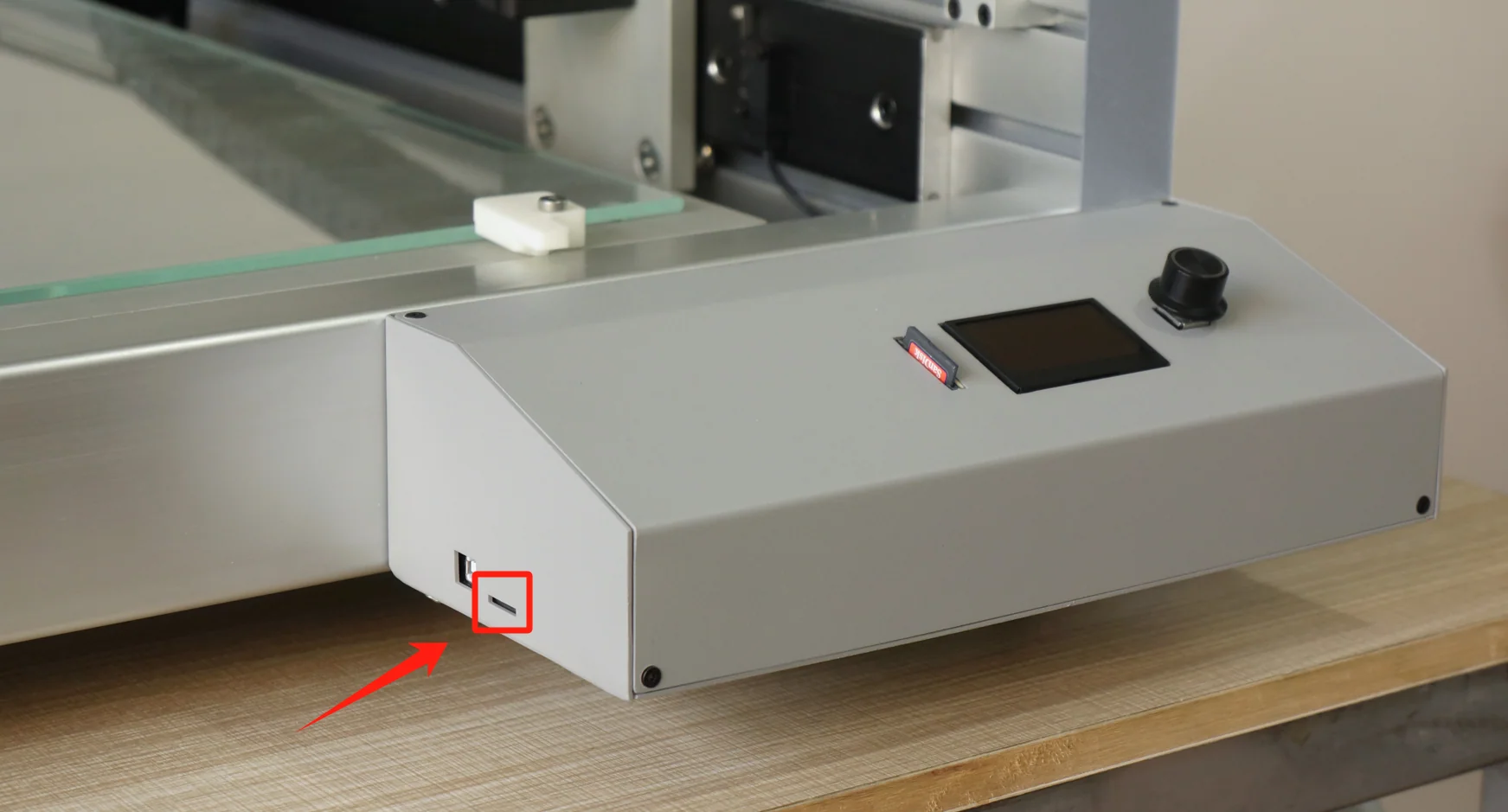
Plug the TF card into the 3D printer (not beside the LCD screen) when the printer is turned off
-
Turn on the 3D printer and wait for about 15 seconds. The printer will reboot automatically.
-
When the printer successfully reboots, the firmware update is complete.
¶ 4. Download
Speed X1 firmware (click to download)
Speed X2 firmware (click to download)
Speed X3 firmware (click to download)
¶ 5. Confirm the update
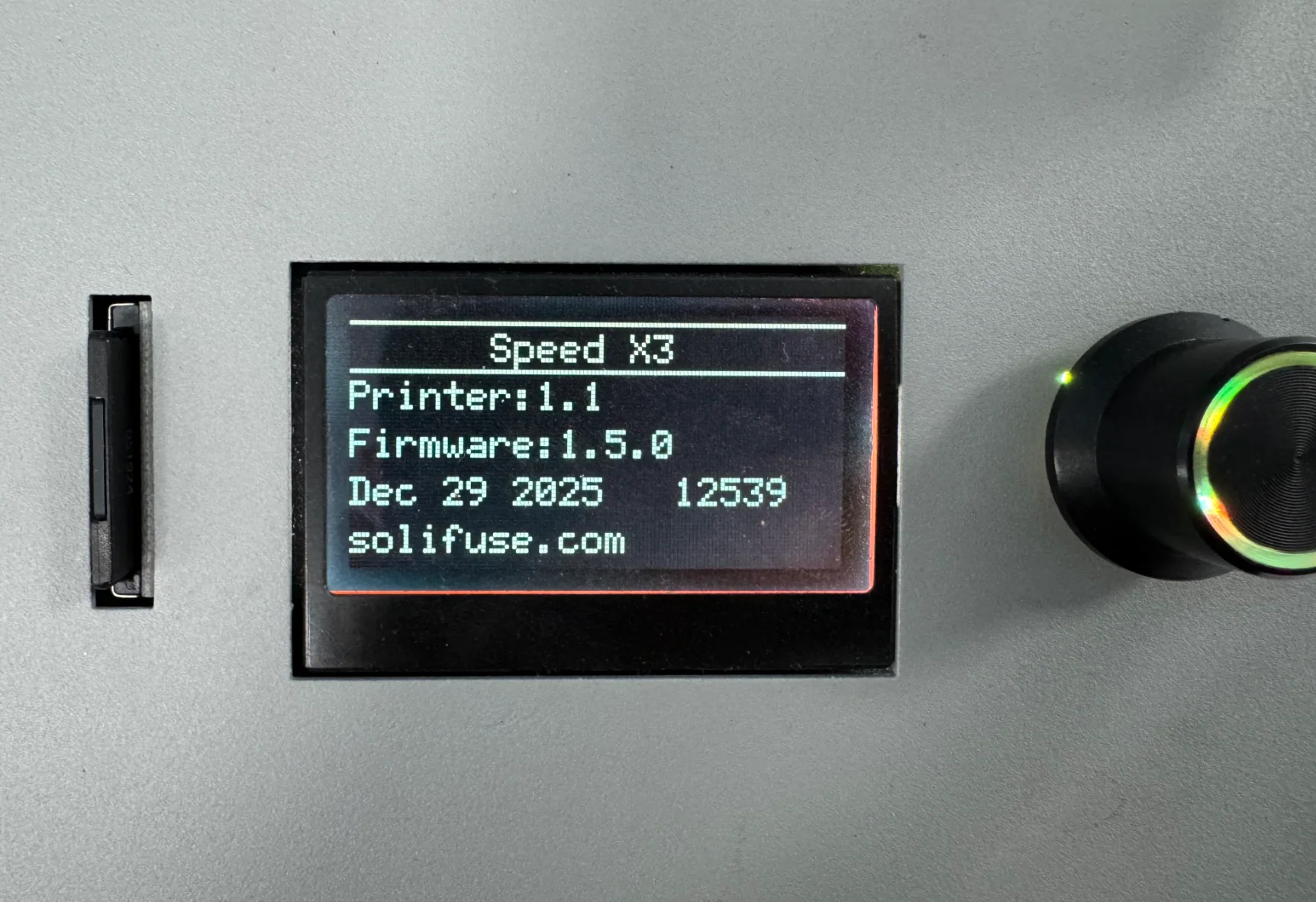
If the firmware version is "1.5.3", you have updated it successfully.