¶ 1. Wall thickness
The nozzles in Speed Series 3D printers are all 0.6mm diameter, so the optimal extrusion line width is 0.6mm and 0.8mm.
To get the best slice and 3D print quality, you should generate channel letters with wall thickness of multiple of the 3D printing line width.
wall thickness = line width × wall loops
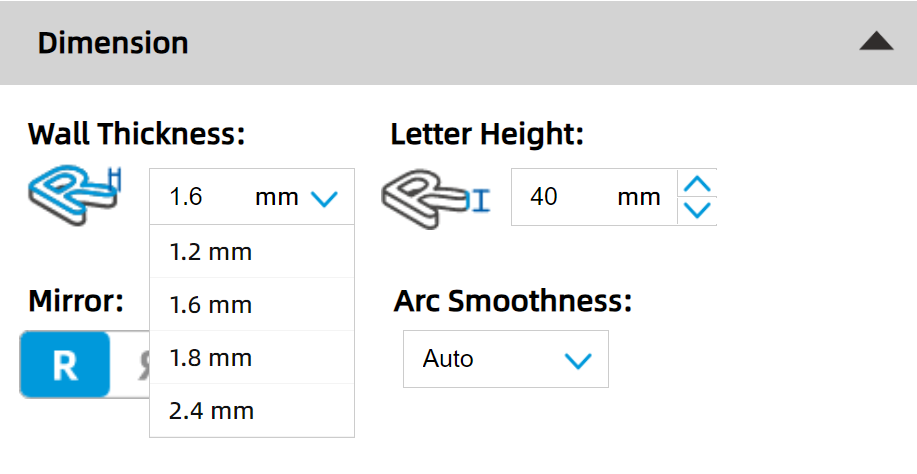
In FormLetter, we offer four Wall Thickness options on the drop list.
They are all multiples of the line width parameter.
Wall Thickness 1.2mm = Line width 0.6mm × 2
Wall Thickness 1.6mm = Line width 0.8mm × 2
Wall Thickness 1.8mm = Line width 0.6mm × 3
Wall Thickness 2.4mm = Line width 0.8mm × 3
So if you want to manually set the wall thickness, we would recommend you to:
- generate with thickness of multiple of 0.6 or 0.8
- set the line width as you planned, 0.6 or 0.8
Other wall thickness and line width are also available, but it will need much more slice and 3D printing experience. We don't recommend newbies to do that.
Thicker walls → Lower light transmission rate → Longer 3D print time and more filament consumption → Stronger channel letters (suitable for big letters)
¶ 2. Channel letter size
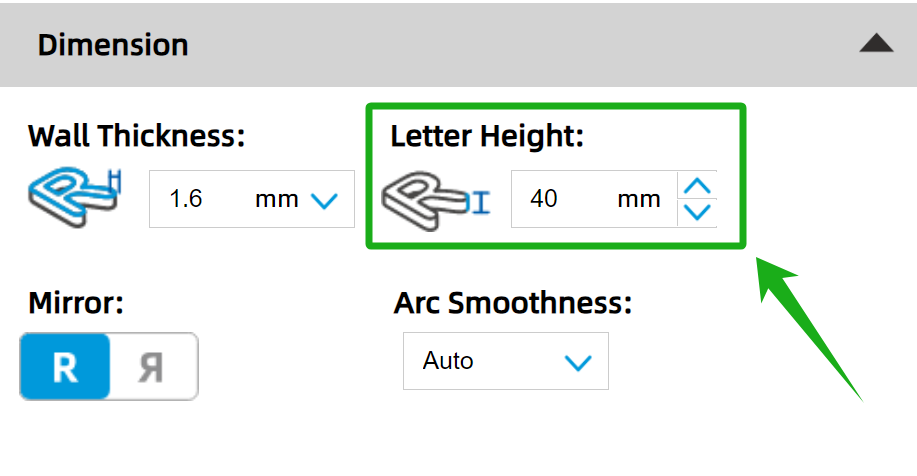
X and Y-axis sizes are not changeable in FormLetter, they are all defined by the SVG file. You need to set the XY size in Illustrator/CorelDraw/InkScape before exporting the SVG files.
Z-axis height is changeable in FormLetter. ↓
¶ 3. Light transmission
Making the letters glow locally is a common practice for making signs visually appealing.
But when you fabricate LED channel letters with 3D printing technology, you need to do it in a different way. If you want an area to be luminous, you need to 3D print the area with a transparent filament.
Like what shows in the photo below: ↓
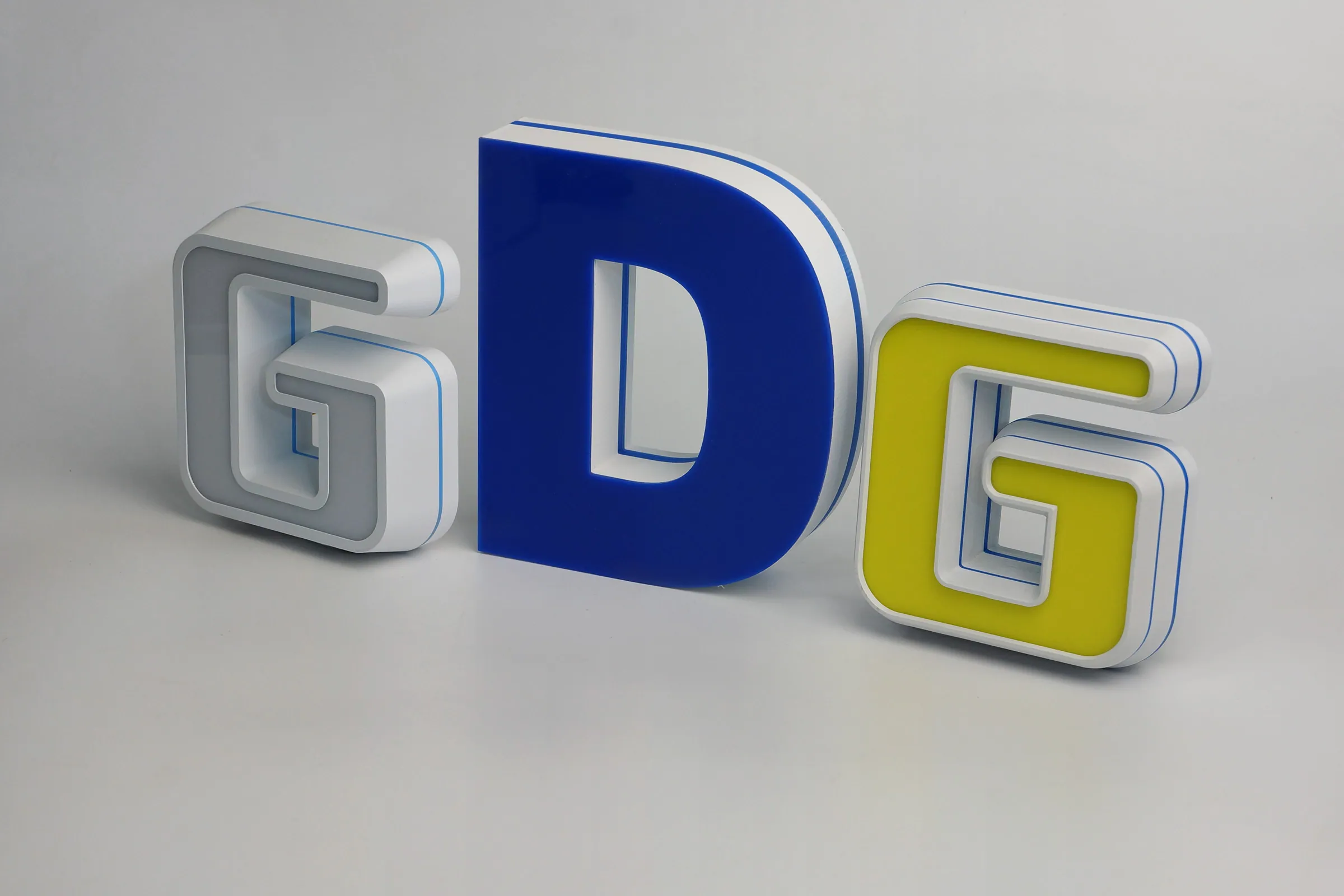
To know how to 3D print translucent filament in a channel letter, please check the guidance of dual color 3D printing settings → Workflow
¶ 4. Mirror the letter
If the bottom of the letter is the face of the channel letter, please mirror the letter in the "Design" module of FormLetter.
¶ 5. Regenerate the model after mirroring the letter
If you mirror a letter, then you click "Process in Slicer" right away, you will transfer an un-mirrored letter to the slicer.
The right way is regenerating the mirrored 3D model before transferring it to the slicer.
It means you need to do the mirror operation before changing other settings. In this way, you will definitely have a regenerated letter before processing in the slicer.
¶ 6. Slot settings
 |
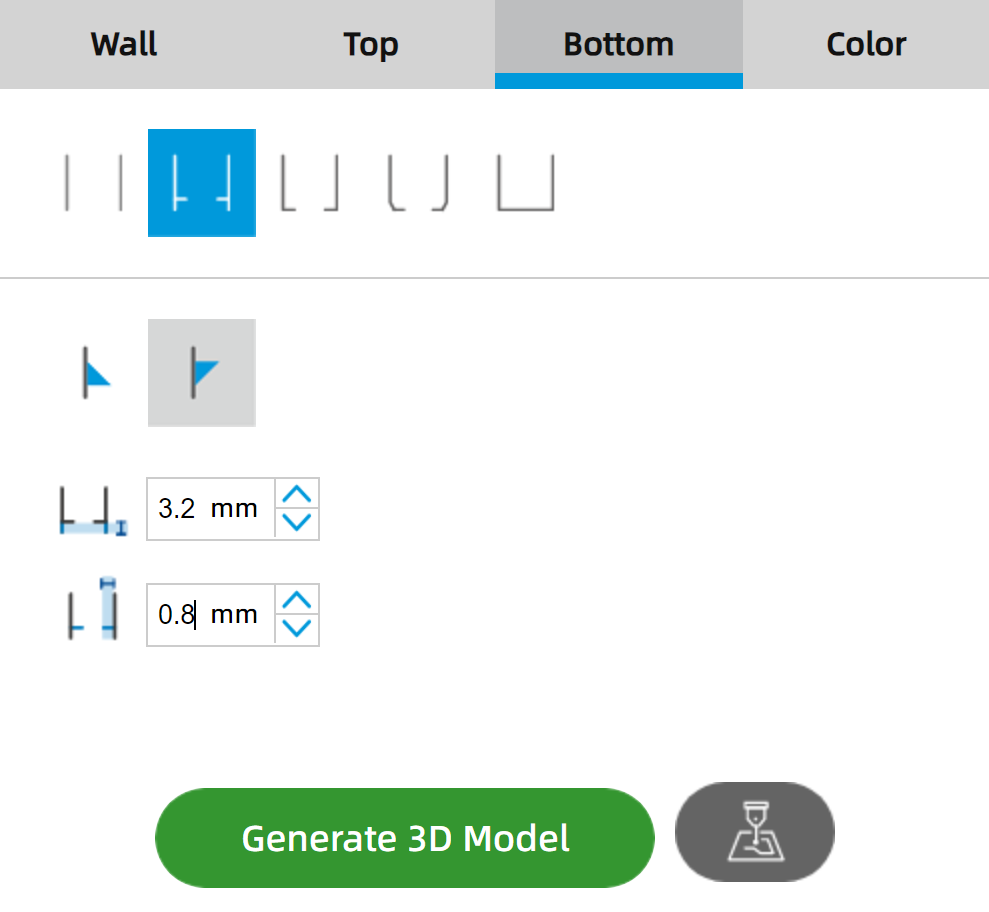 |
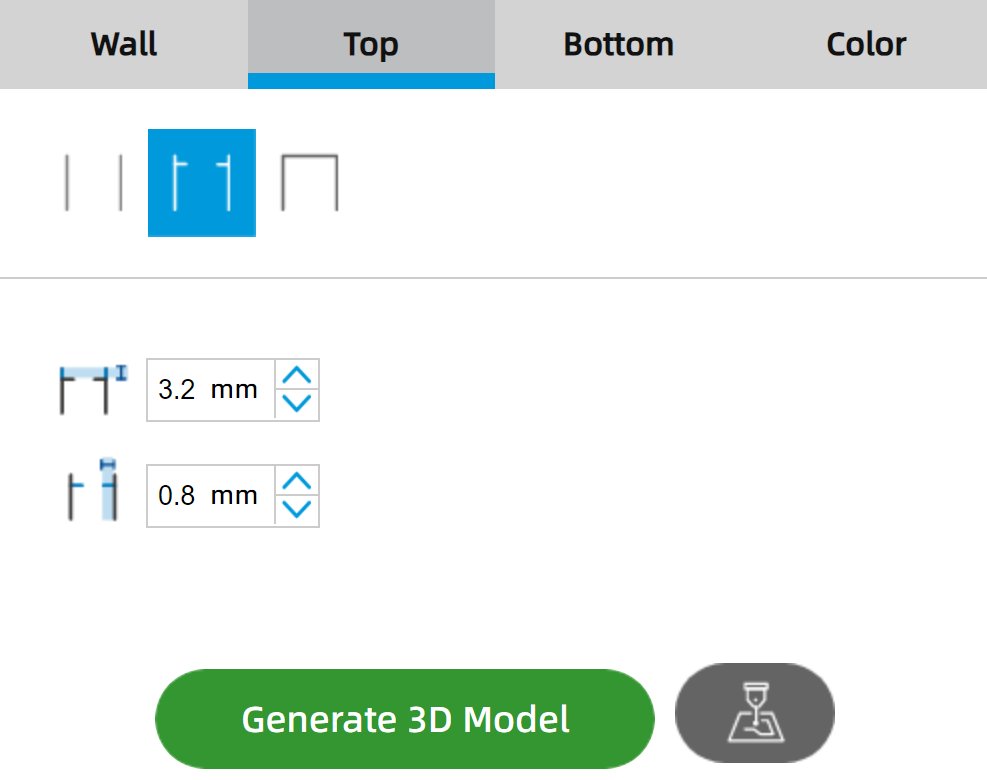
- For letters smaller then 200mm, 0.6 or 0.8 mm width slot is good enough.
- For letters bigger then 300mm, we would suggest a 1mm width slot.
¶ 7. Inclination angle
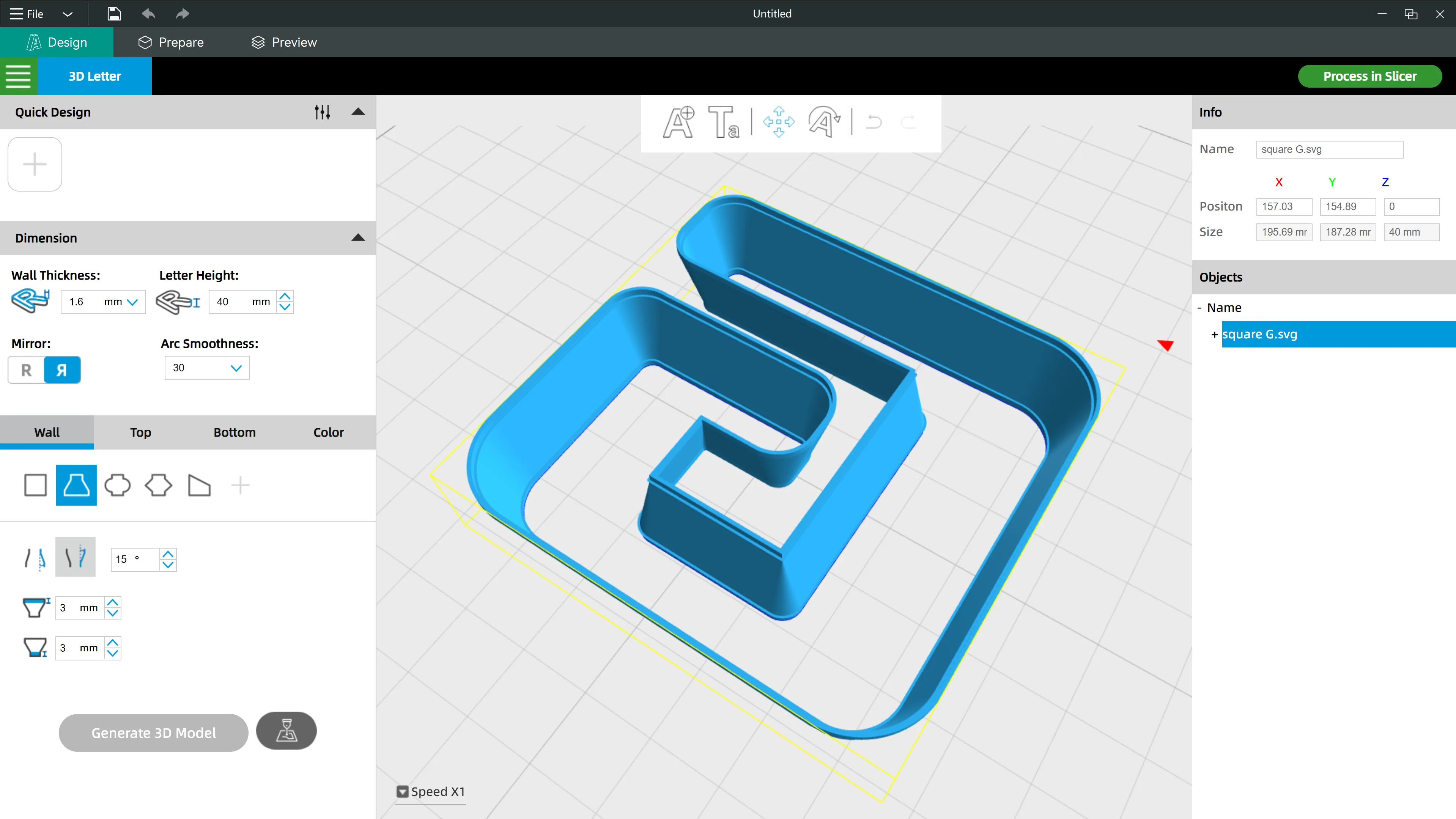
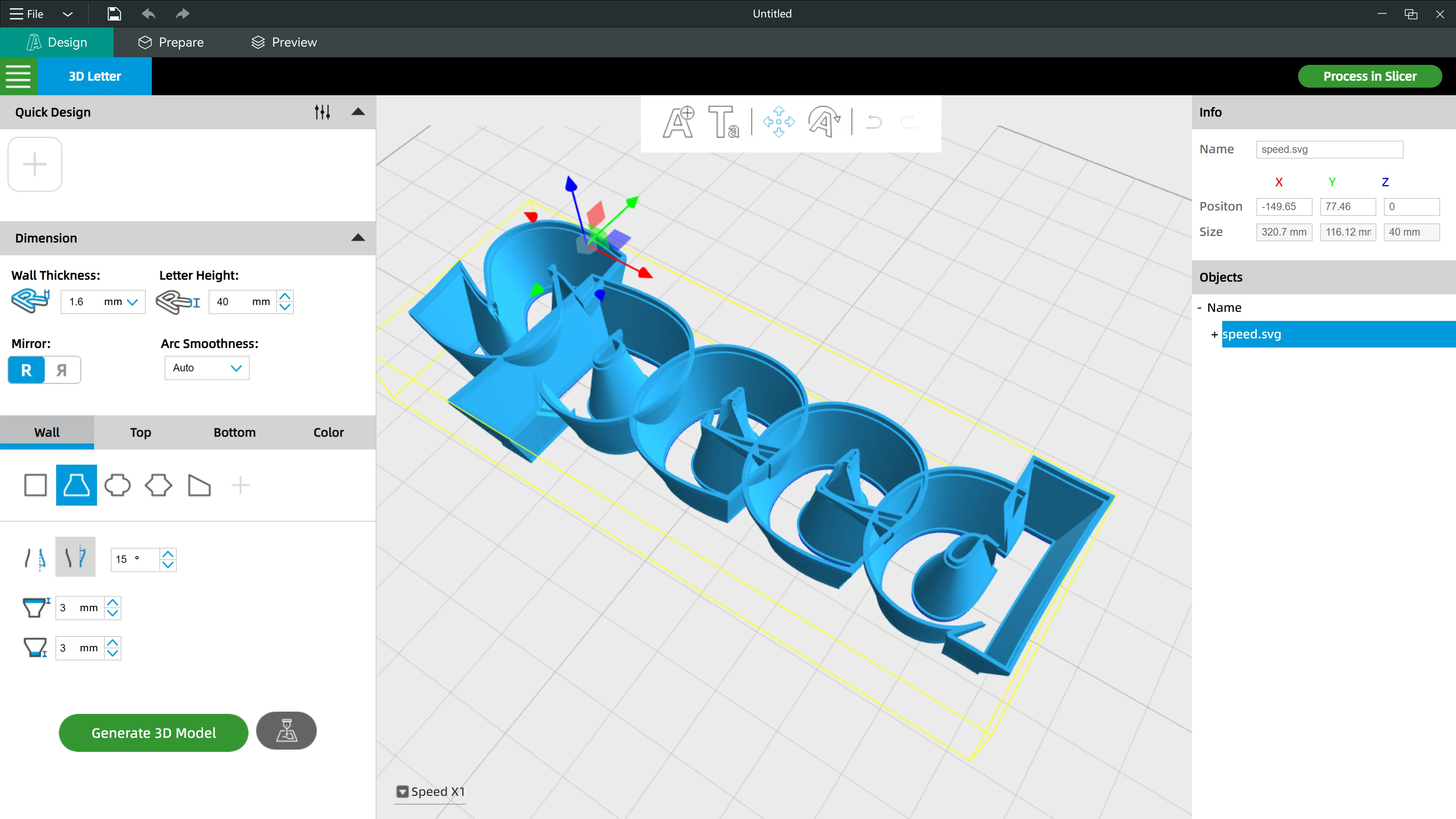
Big inclination angles will be okay when generating text in bold strokes, but it might cause 3D modeling errors when you are generating with small text or text in fine strokes.
|
|
So please adjust your settings based on the font or the design.