If you see bites on the filament after withdrawing it from the extruder, it means there is resistance behind or in front of the extruder.
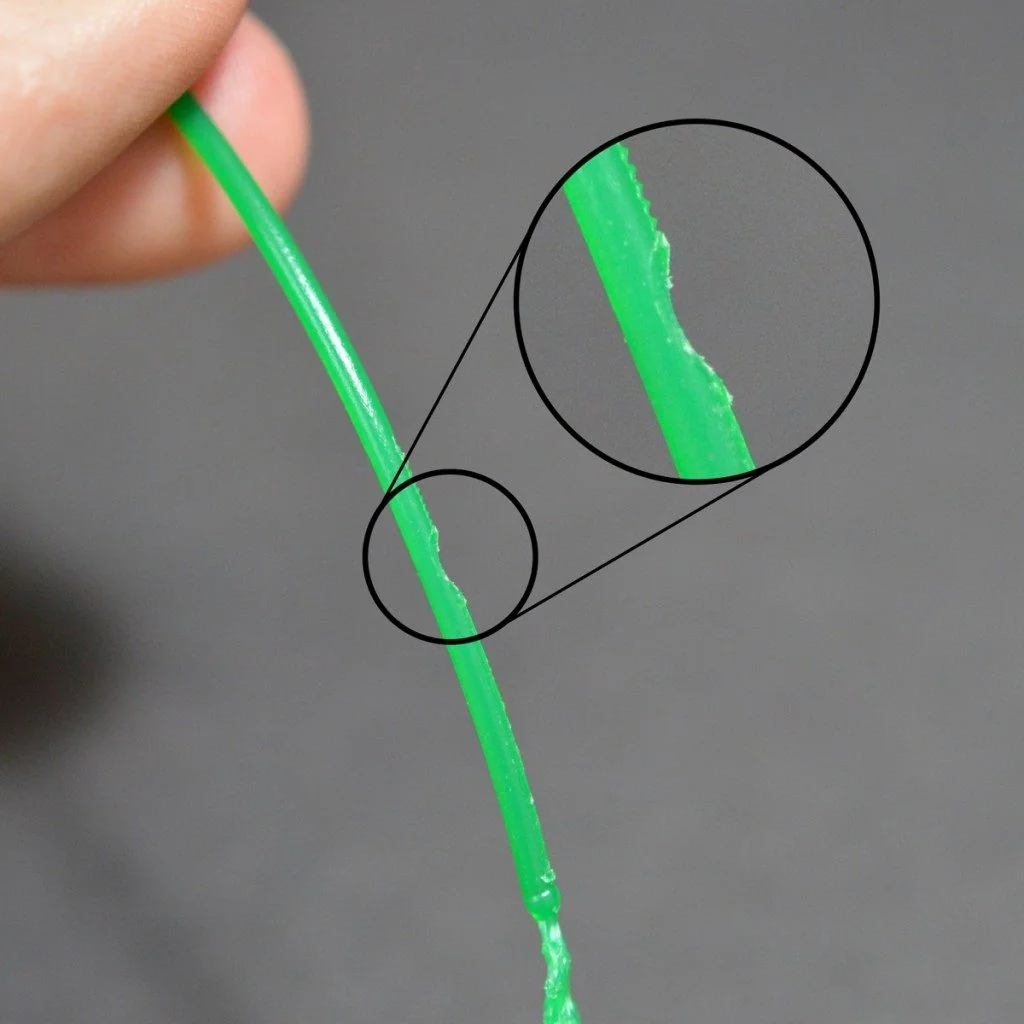 |
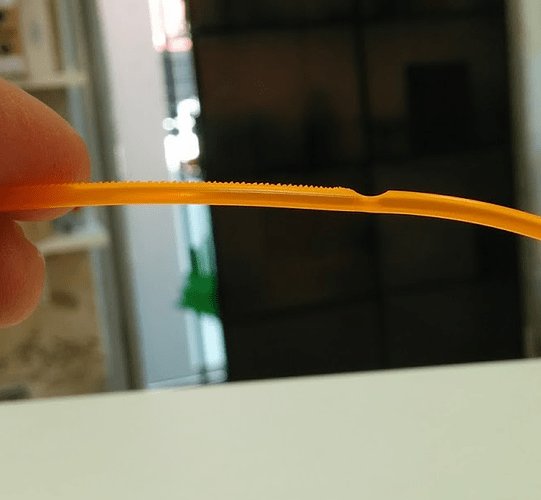 |
Below are some typical reasons for the issue.
¶ 1. Twining filament
If the filament twining on the spool, the extruder will not be able to feed the filament, causing the filament to be bitten by the feeding gear.
Solution: Arrange the twining filament on the spool neatly, make sure the filament is tight on the spool before printing.
¶ 2. Too small Z-offset
If you set a too small Z-offset, there will not be enough clearance for the filament to be extruded, it might damage the hot-end or the build plate.
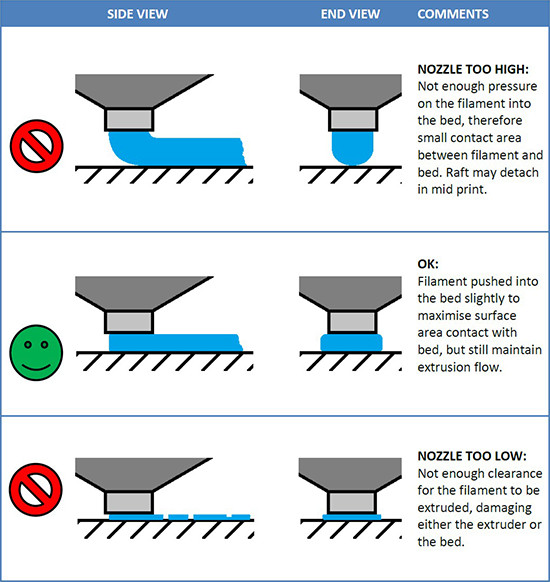
Solution: Follow the Z-offset article to set a proper Z-offset.
¶ 3. Incorrect slice setting
If you choose PEA filament preset in FormLetter slicer for PES or PES-FR filament, the PES or PES-FR filament won't fully melt at that temperature, the extruder won't be able to feed the filament and leads to bite on the filaments.
Solution: Check if you are slicing with the right filament preset, then slice and print again.
¶ 4. Filament fragment inside the print head
At a certain chance there will be fragments falling into the hot-end, it will clog the hot-end, the extrude won't be able to feed the filament through the hot-end.
Another possibility is the previous print task did not be terminated correctly, and you did not unload the filament in the correct way (correct unloading method is here Unload/Replace the filament).
Solution: Follow the Replace the hot-end module guide to clean the fragment inside the hot-end, then print again.
¶ 5. Incorrect filament combination
If you 3D print PEA and PES series filaments in one 3D print task, the filament will clog inside the hot-end.
Solution: Unload the filaments, clean the hot-end, slice with correct presets and load the right filaments, then print again.
¶ 6. Incorrect filament loading
At a certain chance you load incorrect filament, if you mistake loading PEA for PES filament, the extruder will clog.
Solution: Check if you have loaded the correct filament, then reload and print again.
¶ 7. The PTFE filament loading tube wraps around the Z motor
If you did not tidy the filament tubes after loading the filament to avoid the tube wrapping around the Z-axis motion module, the printer would be out of step when the print head moves from the filament holder to the operator's side.
Solution: Tidy the filament tubes, then print again.